
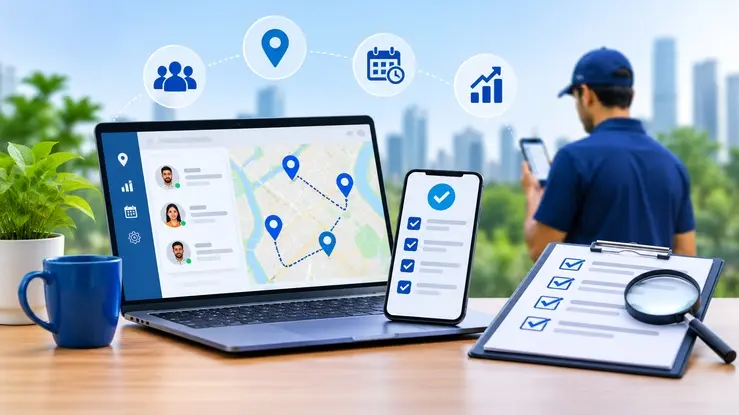
A lead comes in at 9 a.m. By 6 p.m., nobody remembers who called, who visited, or what the customer said.
That’s lead leakage. It rarely looks dramatic. It looks like a missed follow-up, a visit nobody logged, or a note buried in a WhatsApp group.
No software stops every lost lead. But the right field employee tracking software removes the preventable ones. The wrong one becomes one more app your team ignores. This checklist helps you tell them apart.
The best field staff management software logs every visit with time and location, captures leads on the spot, works without network, reminds reps to follow up, and gives managers one clear dashboard. Miss any of these and leads keep slipping.
Field employee tracking software helps businesses record attendance, verify customer visits and review field activity. Connected to lead management, it also links each visit to a follow-up task, so you see the journey from visit to opportunity.
Basic tools stop at location. Better ones tell you: “Ravi met three prospects, and two need a quote by Friday.”
Here’s how it usually goes. A rep visits a shop in Kochi and promises a quote. The visit is never logged. No follow-up date is set. A week later, the customer buys from someone else. Nobody even knew the lead existed.
Check how many of these sound like your team:
If you nodded at two or more, you need a system, not more reminders.
Want a baseline? For one week, count three gaps: visits planned versus logged, leads heard about versus recorded, and follow-ups due versus done. Those numbers are your leak.
| Capability | Problem it fixes |
|---|---|
| Visit-linked lead capture | Missing customer details |
| Follow-up reminders | Delayed sales conversations |
| Offline data entry | Incomplete field reports |
| Manager escalation | Overdue follow-ups nobody notices |
| Lead ownership and export | Leads lost when staff leave |
It links visits to lead records, assigns an owner, schedules follow-ups and flags overdue actions. Results depend on setup and on whether your team uses it consistently.
Good field employee attendance and location tracking software stamps the time and place when a rep checks in at a customer’s door. Ask whether it can spot fake-location apps.
Reps won’t fill a 20-field form while standing in a shop. Name, number, need and next step is enough. Strong lead tracking software for field sales teams keeps entry short and saves everything to one record.
Hill roads, basement shops, desert highways: signal drops. Ask which actions work offline and how syncing handles two people editing one record.
A lead without a next date is a lead you’ll lose. Look for reminders for the rep and alerts for the manager when follow-ups run late.
No. GPS shows where someone was, not what happened. You need location and lead records together.
A GPS-based field employee tracking system should help plan the day, not only report it. Planned versus completed visits is the number that matters.
If it needs a week of training, adoption fails. Hand it to your most hesitant team member. If they can check in and add a lead in five minutes, it passes.
Good field staff performance monitoring software shows visits, leads added, follow-ups done and deals closed per person. Distance alone says very little.
Who went where, what did they find, and what happened next? If a report can’t answer those, it’s decoration.
Small teams don’t need enterprise tools. Look for field sales team management software for small businesses that lets you start with a few users and add more later. Ask how the price changes as you grow.
Can you export your leads? Remove a rep’s access the day they leave? Limit what each manager sees? Settle this before you sign.
Employee location data should be collected openly and only for clear business reasons. Before you start, tell your team what is recorded, when, who can see it and how long it’s kept. Review the data protection and employment rules in every place your team works. For India, read the official Digital Personal Data Protection Act and Rules and check which provisions apply to you. This is general information, not legal advice.
Start with your team’s daily workflow, headcount, network conditions, data security and total cost. Then test with a small group before a wider rollout.
Clear communication can make tracking easier to accept. Explain what is recorded and why, and show employees how accurate visit records can help document their work and keep follow-ups organized.
Check whether the software records work-related visits accurately, captures leads quickly, supports offline entry if needed, schedules follow-ups, provides useful reports and protects customer data. Test the most important workflows with a small group before committing to a wider rollout.
Give each of the ten points 0 (missing), 1 (partly) or 2 (fully):
Example: A tool scores 2 on location, 2 on lead capture, 0 on offline, 1 on reminders, and 10 across the rest. That’s 15, so ask the vendor about offline and reminders before deciding.
If they use it without being chased, you’ve found your tool.
It depends on the tool and your team size. Ask for a realistic timeline in the demo and get it in writing.
Choosing field employee tracking software isn’t about the longest feature list. It’s about whether every visit becomes a record, and every record becomes a follow-up.
Run every tool you’re considering through the ten points above, including TrackBox, a Kerala-built CRM made for teams that live on follow-ups. Score it the same way and see how it holds up. In the demo, ask to see one visit turn into a follow-up on your own process.